Showing posts with label Yanhua Mini ACDP 2. Show all posts

Tuesday, November 4, 2025

Fix Yanhua ACDP Searching Device Problem on Windows 10

 Problem: I tried to install Yanhua Mini ACDP 2 to my PC but could not find the module. Still "searching device". I downloaded and installed the pl2303 prolific gos 1013. After I tried to change internet protocol version 4 but still searching. Can you help me to install the ACDP 2 in PC (I have Windows 10 PRO)


Solved Yanhua ACDP Searching Device Issue on Windows 10 Pro

Solution

- Uninstall Incompatible Software

The issue is typically caused by a residual or incorrect installation of the first-generation ACDP software. Completely uninstall any existing Yanhua software from your PC.

- Install Correct Software Version

Download and install the official Mini ACDP 2 (Second Generation) software V2.0.7. Using the correct generation is crucial for proper device recognition.

Official Download Link:

https://acdpmaster.com/en/download.html


Solved Yanhua ACDP Searching Device Issue on Windows 10 Pro

Following these steps will resolve the "searching device" error and ensure a successful Yanhua Mini ACDP 2 installation on Windows 10 Pro.

Thanks to www.obdexpress.co.uk, the problem was solved.

Sunday, January 14, 2024

Yanhua ACDP2 Troubleshoot: Overcoming Calculation Limitations

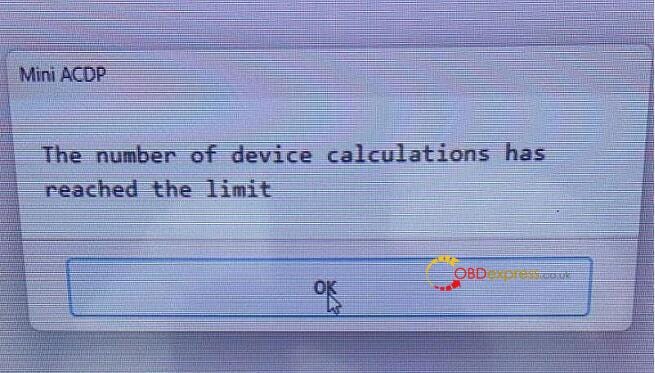
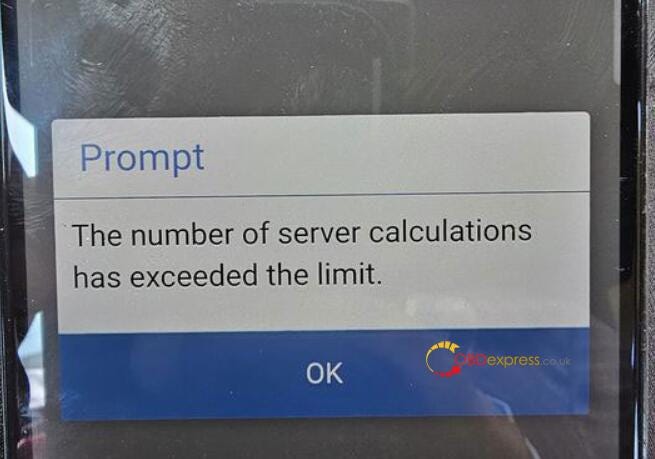
 Recently, some customers gave feedback that when they used Yanhua ACDP to clone or read ISN for BMW MSV80, MSD8x series DME modules, the system prompted "The number of device calculations has reached the limit" or "The number of server calculations has exceeded the limit" shown as follows.

How to Solve Yanhua ACDP1 ACDP2 Exceed the Calculation Limit

How to Solve Yanhua ACDP1 ACDP2 Exceed the Calculation Limit

For the above problem, obdexpress.co.uk engineer replied below.

It needs a special server calculation for the MSD8x MSV80 series DME modules.

After a couple times, it will shut down. Up to 5 times per day.

You can do it the next day.

If you are in a hurry to use it, you can send the ACDP serial number to Yanhua ACDP engineer to add 1–2 calculations.

Tech support:

  • Email: sales@OBDexpress.co.uk
  • Skype: obd2express.co.uk
  • WhatsApp Business:+44 7418609676
  • WhatsApp After-sales Service: +86 18750906257
  • WeChat(微信): 15705931767
  • Online Customer Service

Working Time: 9:00am — 18:00 pm (UTC+08:00), Monday to Friday.

https://www.obdexpress.co.uk/

Monday, August 28, 2023

Solving ACDP2 Equipment Info Mismatch: Expert Troubleshooting

 Customer problem:

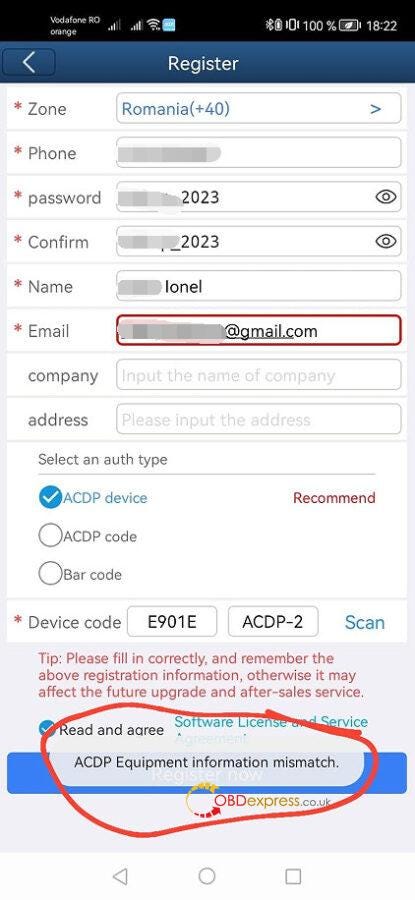
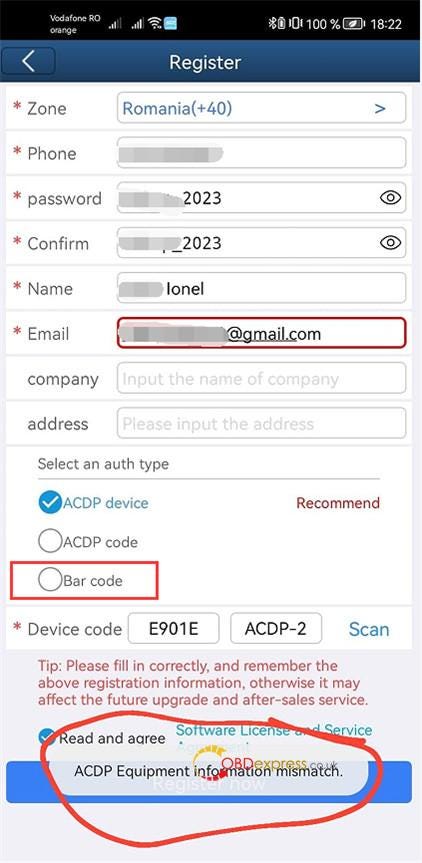
I received the Mini ACDP 2 yesterday. When I opened the Mini ACDP APP on my smartphone, it popped up a register window. I went to register for the account first. All the info was input. The auth type I selected ACDP device (recommend), but it failed to register and appeared as an "ACDP Equipment information mismatch."

Yanhua Mini ACDP 2

Here is the solution offered by obdexpress.co.uk engineer.

There is something wrong with this auth type. It's now being processed by Yanhua Tech. Please select the third type- Bar code to register. It's easier and faster.

Yanhua Mini ACDP 2

The device can be used with or without registration. But need to bind ACDP2 host with Mini ACDP APP, and connect with available wifi or hotspot.

Tech support:

  • Email: sales@OBDexpress.co.uk
  • Skype: obd2express.co.uk
  • WhatsApp Business:+44 7418609676
  • WhatsApp After-sales Service: +86 18750906257
  • WeChat(微信): 15705931767
  • Online Customer Service

Working Time: 9:00am — 18:00 pm (UTC+08:00), Monday to Friday.

www.obdexpress.co.uk