Showing posts with label Yanhua ACDP Module. Show all posts

Wednesday, October 29, 2025

How to Transfer Mercedes DSM FBS4 Data with Yanhua Module 42

 This guide walks you through the process of transferring data from an original Mercedes-Benz FBS4 Gear Shift Module (DSM) to a secondhand one using Yanhua Mini ACDP2 with Module 42.

Yanhua ACDP Module 42 Features:

  • Support Mercedes-Benz DSM/DSM222 (FBS4) modules virgin and data transfer
  • Compatible with both ACDP2 and ACDP1 Master basic module

Operation guide:

1.Before You Start:

  • Ensure your ACDP programmer is bound and connected (check the top right of the ACDP app).
  • This example uses part number DSM (FBS4) A0002703252.

2.Main steps:

Step 1: Read Data from the Original Module

Run ACDP APP, navigate to Benz-> ISM/DSM Refresh-> DSM (FBS4) or DSM222 (FBS4) Help.


Yanhua ACDP Module 42 Transfer Mercedes DSM FBS4 Data

Check the part number and connect ACDP to the original vehicle’s DSM.

  • DSM (FBS4): A0002703252, A0002703352, A0002703452
  • DSM222 (FBS4): A0002704252, A0002704452, A0002704652

Yanhua ACDP Module 42 Transfer Mercedes DSM FBS4 Data

Select DSM FBS4 > Identify Info and click Continue.

Verify the module’s identification information is correct. Take a screenshot for your records, then click OK.


Yanhua ACDP Module 42 Transfer Mercedes DSM FBS4 Data

Now, click Transfer Data -> Step 1: Read Original Module Data.

Click Continue twice to begin reading.


Yanhua ACDP Module 42 Transfer Mercedes DSM FBS4 Data

When prompted to save, back up the file carefully. Note the file path, date, and time. The filename must end with ORIG.bin. Click OK.


Yanhua ACDP Module 42 Transfer Mercedes DSM FBS4 Data

Once the reading is complete, click OK and disconnect the ACDP from the original module.

Step 2: Clear Data from the Second-hand Module

Connect ACDP to the second-hand DSM (it must have the same part number).

Select Step 2: Clear Donor Module Data and click Continue.

Verify the identified information of the second-hand module and click Continue.


Yanhua ACDP Module 42 Transfer Mercedes DSM FBS4 Data

When prompted to save, back up this file as well. The filename should end with CLR.bin. Click OK.

Click Continue to start erasing. Once finished, click OK.


Yanhua ACDP Module 42 Transfer Mercedes DSM FBS4 Data

Step 3: Write Data to the Second-hand Module

Select Step 3: Write Data to Donor Module and click Continue.

Confirm that the data on the secondhand module has been successfully cleared. Click Continue.

Select Original Data. Choose the correct file you saved in Step 1 (check the date, time, part number, and the ORIG.bin filename).


Yanhua ACDP Module 42 Transfer Mercedes DSM FBS4 Data

Confirm the part data is correct and click Continue.

Click OK to save chip data, then Continue to start writing.

Once the transfer is complete, click OK.


Yanhua ACDP Module 42 Transfer Mercedes DSM FBS4 Data

Final Verification

Go back and click Identify Info again.

Crucially, verify that the information of the secondhand module now matches the screenshot you took of the original module.

If everything matches, the process is successfully completed.


Yanhua ACDP Module 42 Transfer Mercedes DSM FBS4 Data

Key Tips for Success:

  • Always Back Up: Carefully save and name both the bin and CLR.bin files. This is your safety net.
  • Double-Check Part Numbers: Ensure the original and secondhand modules have identical part numbers.
  • Verify at the End: The final identification check is essential to confirm a successful transfer.

Alright, that’s the whole process to transfer data on a Mercedes-Benz DSM (FBS4) module by Mini ACDP2 and Yanhua Module 42 on bench.

Video guide:

https://youtu.be/xaff7YyZilk

www.obdexpress.co.uk

Wednesday, January 1, 2025

Yanhua ACDP2 Module 36 for Cloning BMW, JLR, Porsche Gearboxes

  Yanhua ACDP Module 36 New Arrival!

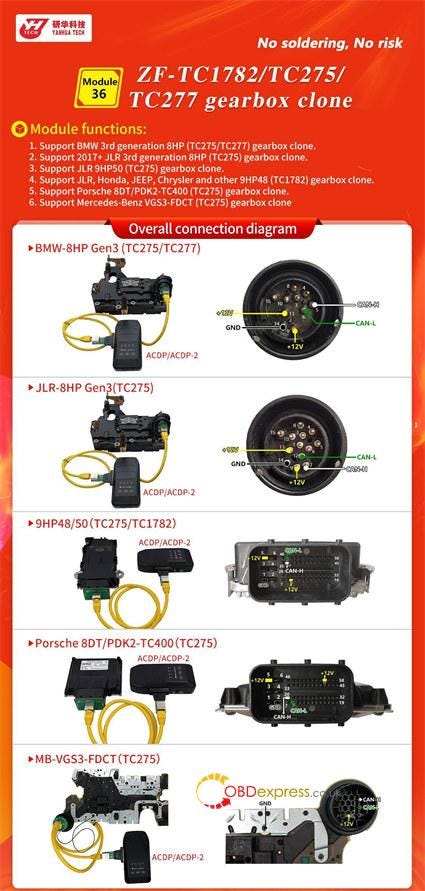
It’s compatible with Mini ACDP/ACDP2 to clone gearbox for BMW, JLR, Porsche, and Mercedes-Benz ZF-TC1782/TC275/TC277. No need soldering! No risk!


Yanhua ACDP2 with Module 36 Clone ZF-TC1782 TC275 TC277 Gearbox

Yanhua Module 36 Functions:

The ZF-TC1782/TC275/TC277 Gearbox Clone Module supports the following functionalities:

  1. Support BMW 3rd generation 8HP (TC275/TC277) gearbox clone.
  2. Support 2017+JLR 3rd generation 8HP (TC275) gearbox clone.
  3. Support JLR9HP50 (TC275) gearbox clone.
  4. Support JLR, Honda, Jeep, Chrysler, and other 9HP48 (TC1782) gearbox clone
  5. Support Porsche 8DT/PDK2-TC400 (TC275) gearbox clone
  6. Support Mercedes-Benz VGS3-FDCT (TC275) gearbox clone

How to use Yanhua ACDP and Module 36?

1.For BMW — 8HP Gen3 (TC275/TC277)

Operation path:

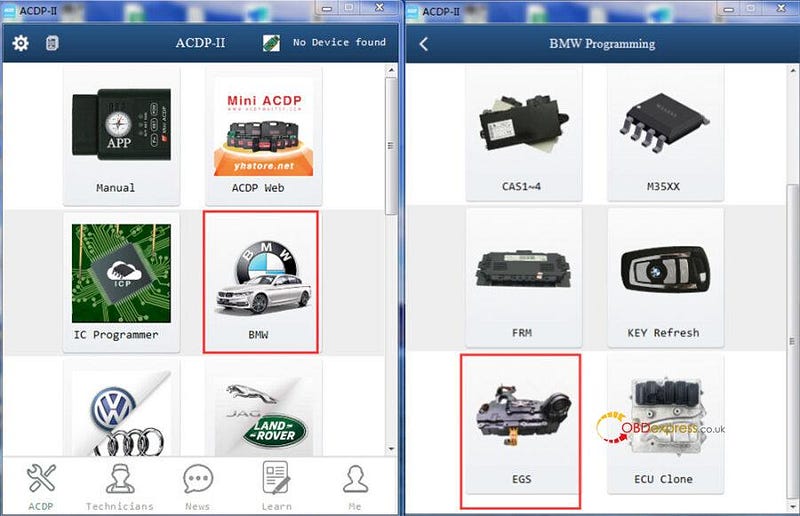
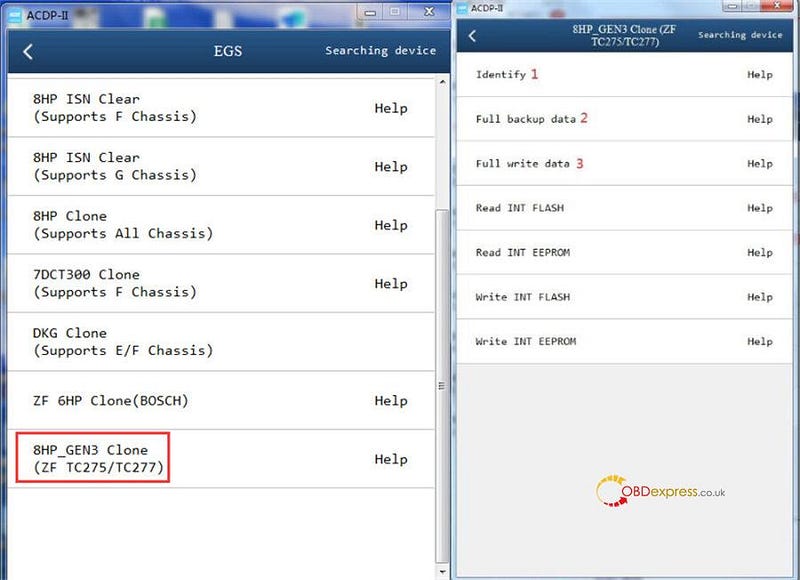
Select BMW>> EGS>> 8HP_GEN3 Clone (ZF TC275/TC277)>> Identify>> Full backup data>> Full write data


Yanhua ACDP2 with Module 36 Clone ZF-TC1782 TC275 TC277 Gearbox

Connection method:

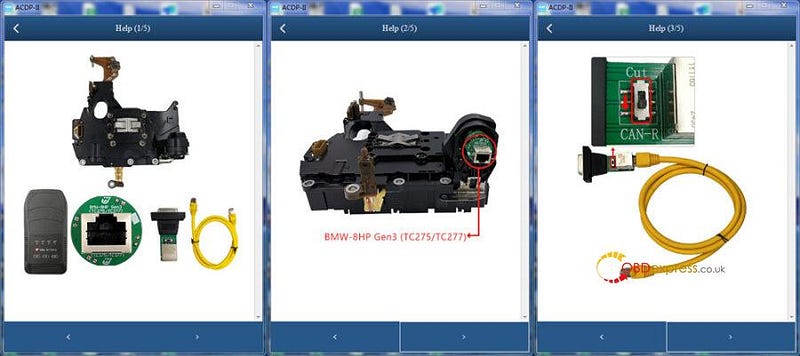
Connect Yanhua Module 36 BMW-8HP Gen3 (TC275/TC277) Interface Board to BMW gearbox, and connect to Yanhua ACDP 2 correctly


Yanhua ACDP2 with Module 36 Clone ZF-TC1782 TC275 TC277 Gearbox

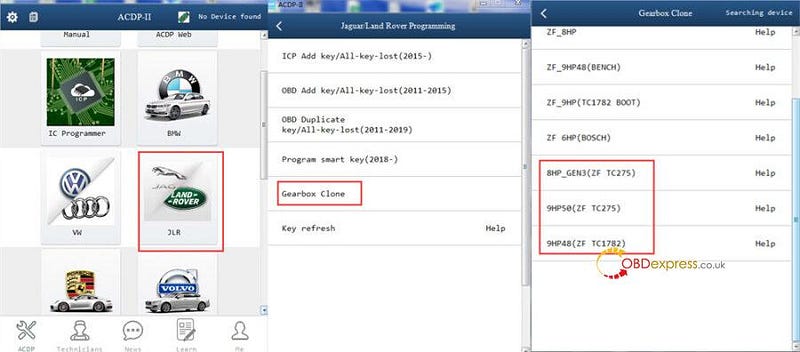
2.For JLR — 8HP Gen3 (TC275)

Operation path:

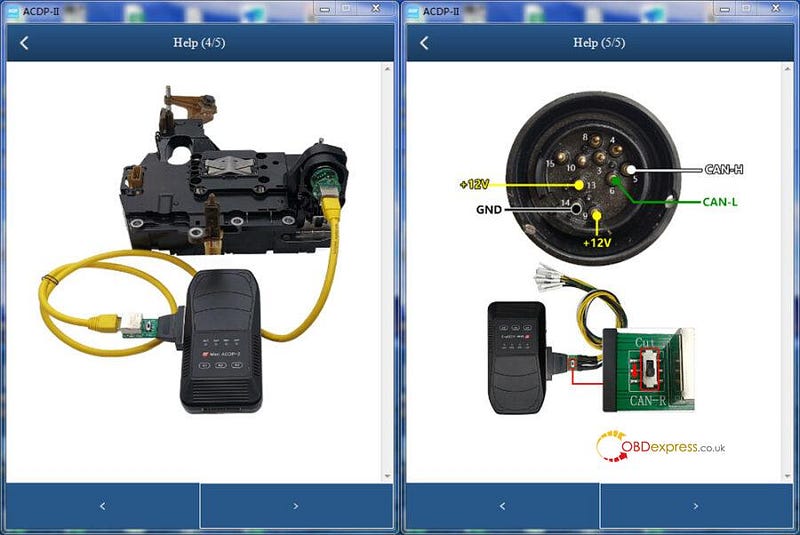
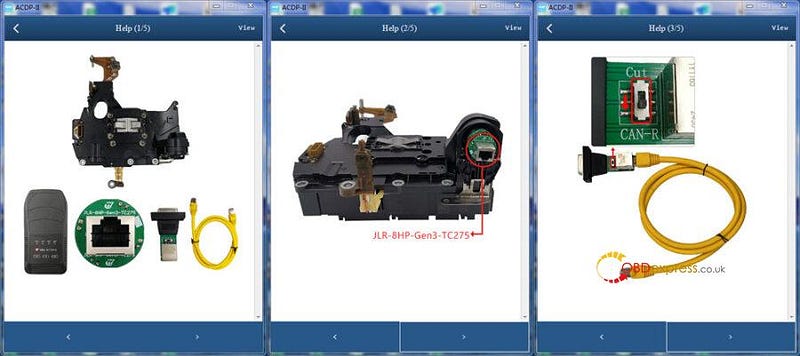
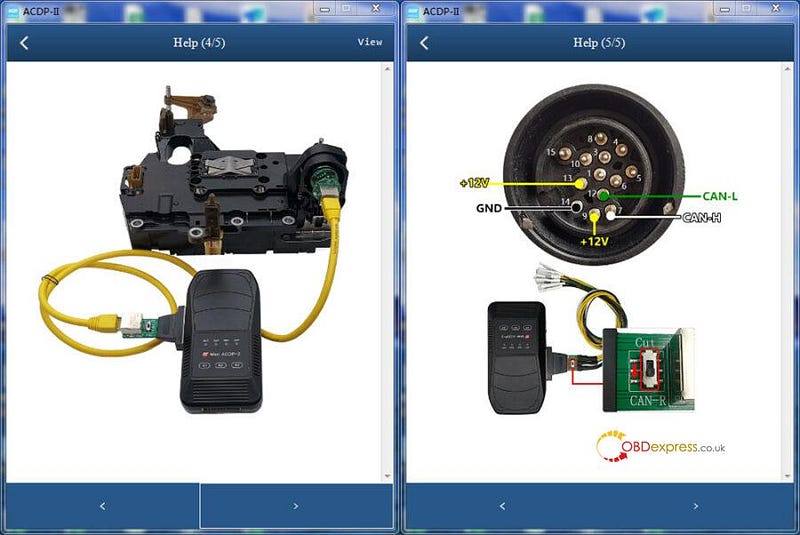
Select JLR>> Gearbox Clone>> 8HP_ GEN3 (ZF TC275)/9HP50 (ZF TC275)/ 9HP48 (ZF TC1782) >> Identify>> Full backup data>> Full write


Yanhua ACDP2 with Module 36 Clone ZF-TC1782 TC275 TC277 Gearbox

Connection method:


Yanhua ACDP2 with Module 36 Clone ZF-TC1782 TC275 TC277 Gearbox
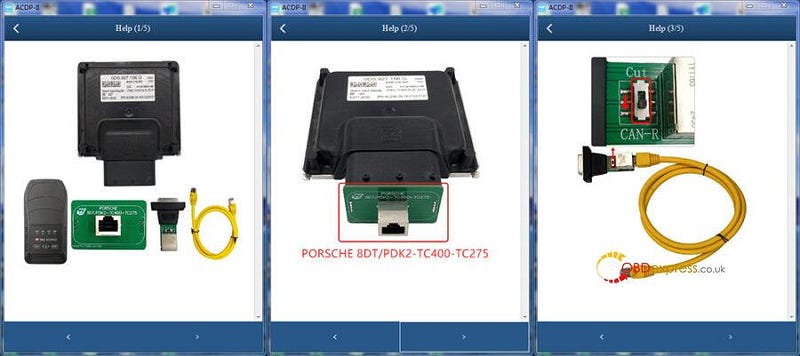
  1. For Porsche — 8DT/PDK2-TC400 (TC275)

Operation path:

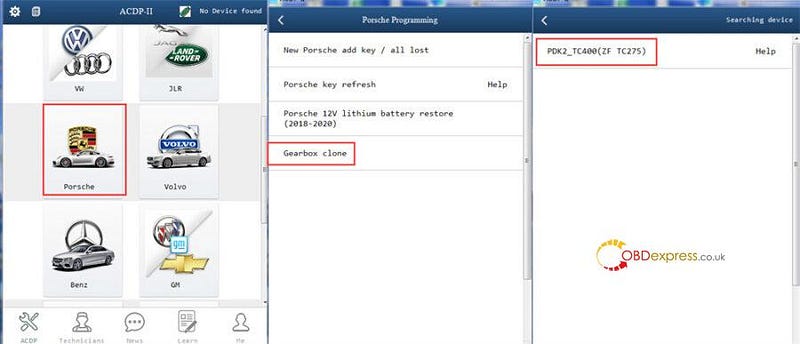
Select Porsche>> Gearbox Clone>> PDK2-TC400 (ZF TC275) >> Identify>> Full backup data>> Full write


Yanhua ACDP2 with Module 36 Clone ZF-TC1782 TC275 TC277 Gearbox

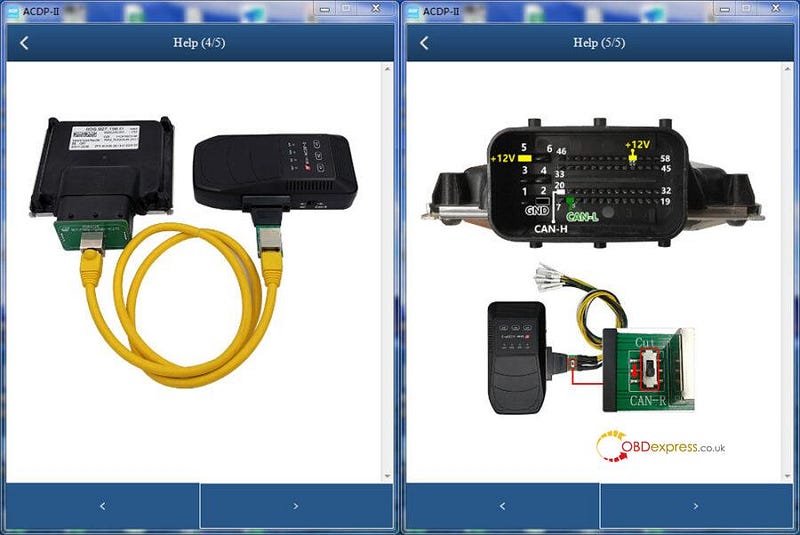
Connection method:


Yanhua ACDP2 with Module 36 Clone ZF-TC1782 TC275 TC277 Gearbox
  1. For Mercedes-Benz — VGS3-FDCT (TC275)

Operation path:

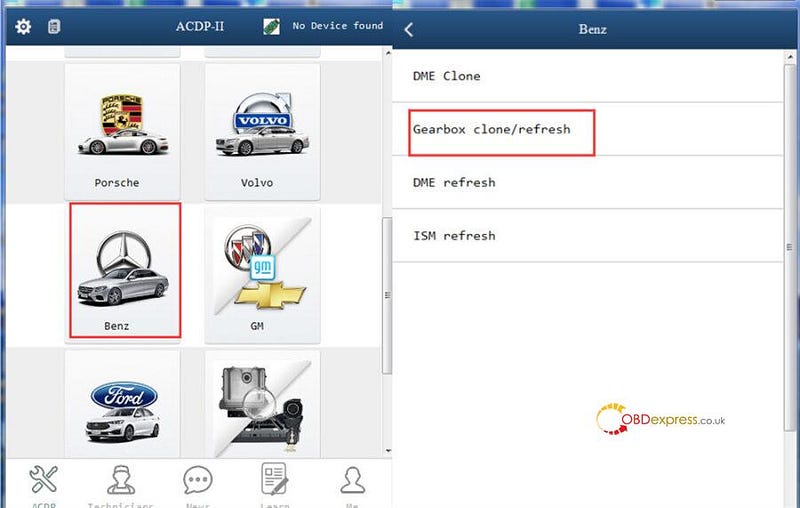
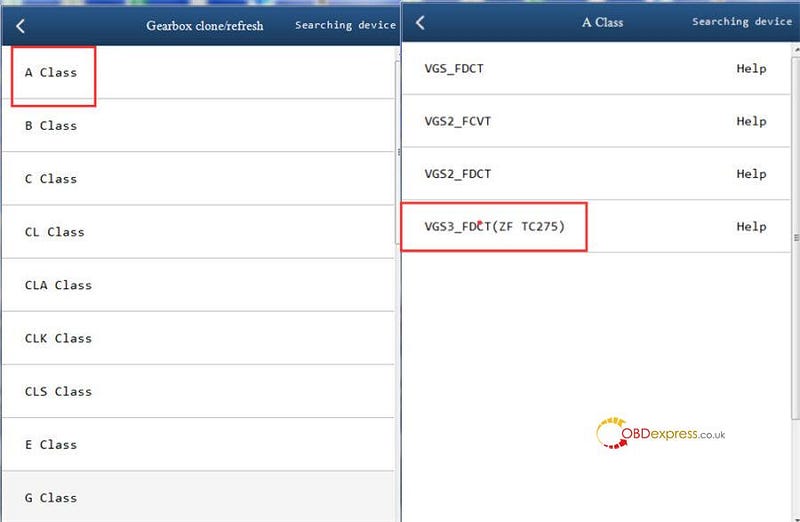
Select Benz>> Gearbox clone/refresh>> A Class/ B Class/ CLA Class/ GLA Class / GLB Class >> VGS3-FDCT (TC275) >> Identify>> Full backup data>> Full write


Yanhua ACDP2 with Module 36 Clone ZF-TC1782 TC275 TC277 Gearbox

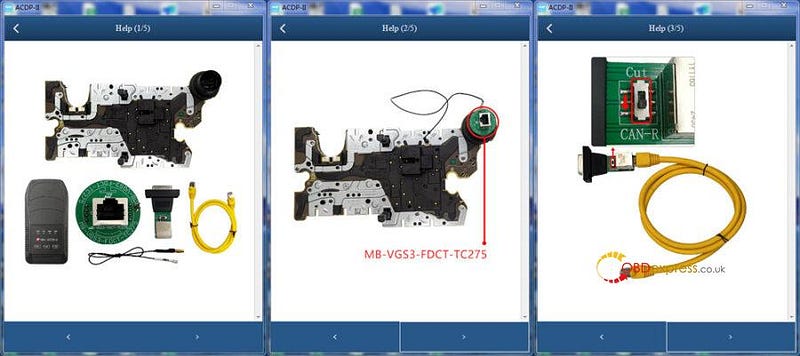
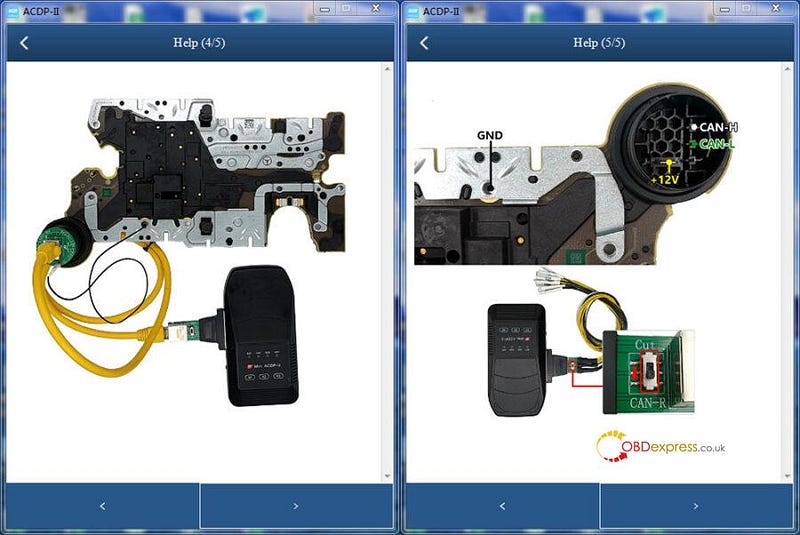
Connection method:


Yanhua ACDP2 with Module 36 Clone ZF-TC1782 TC275 TC277 Gearbox

Pre-order Yanhua Mini ACDP Module 36 now! It will be in stock on Dec.31st, 2024.

First come, first serve!

https://www.obdexpress.co.uk/wholesale/yanhua-acdp-module36.html

Yanhua ACDP2 Module 37 for Safe MB HU6 IC177 Odometer Correction

 The Yanhua Module 37 will be available at OBDexpress.co.uk in mid-January 2025. This worldwide exclusive product from Yanhua Tech is designed to work seamlessly with the Yanhua Mini ACDP/ACDP2 for MB HU6 instrument module (IC177) mileage correction. It requires no soldering, making it both safe and easy to use.

Yanhua ACDP Module 37 Functions:

Support mileage correction for the MB HU6 instrument module (A 167/A 213/A 247) with chip model R7F701403.

Supported Vehicle Models:

  • Mercedes-Benz W247 A/B/CLA/GLA/GLB after 2019
  • Mercedes-Benz W177 CLA/GLA after 2019
  • Mercedes-Benz W167 GLE/GLS after 2019
  • Mercedes-Benz W213 E/CLS after 2020
  • Mercedes-Benz H243 EQA and X243 EQB after 2021

Supported Instrument Modules:

A 247, A 167, A 213


Yanhua ACDP2 Correction Mileage for MB HU6 ODO (IC177) No Soldering

How to correct mileage by Yanhua ACDP2 and Module 37?

Overall Connection Diagram:


Yanhua ACDP2 Correction Mileage for MB HU6 ODO (IC177) No Soldering

Mini ACDP APP Menu Path:

Benz>> HU6 Module (IC177) ODO>> R7F701403>> OBD identify>> OBD+ICP reset mileage>> Original module reset mileage>> Step 1: OBD backup data>> Step 2: ICP modify data>> Step3: OBD modify KM


Yanhua ACDP2 Correction Mileage for MB HU6 ODO (IC177) No Soldering

Pre-order Yanhua ACDP Module 37 for MB HU6 instrument module (A 167/A 213/A 247) mileage correction:

https://www.obdexpress.co.uk/wholesale/yanhua-acdp-module37.html

Tuesday, September 3, 2024

Yanhua ACDP Module 34: VW MQB 3426+95128 Dashboard Mileage Adjustment

 How to change mileage on VW MQB dashboard with 3426+95128 chip model by Yanhua ACDP with Module 34? It’s easy to operate with the connection diagram in the Mini ACDP APP/software.

Check the detailed operation guide below.

1.Turn on the power switch on the car and light up the instrument panel

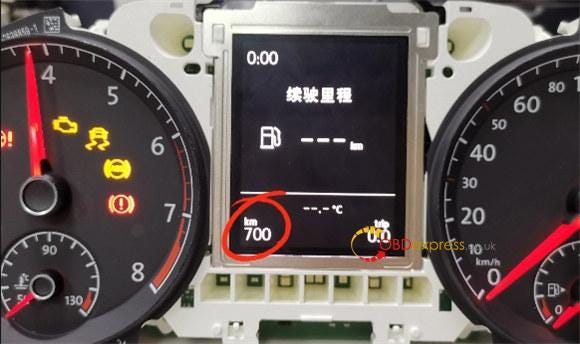
2.Record the current mileage (i.e. 700 km)


Yanhua ACDP with Module 34 Change VW MQB 3426+95128 Dashboard Mileage

3.Power on Yanhua ACDP2 and open Mini ACDP APP

4.Check the upper right corner to confirm the ACDP device has been bound

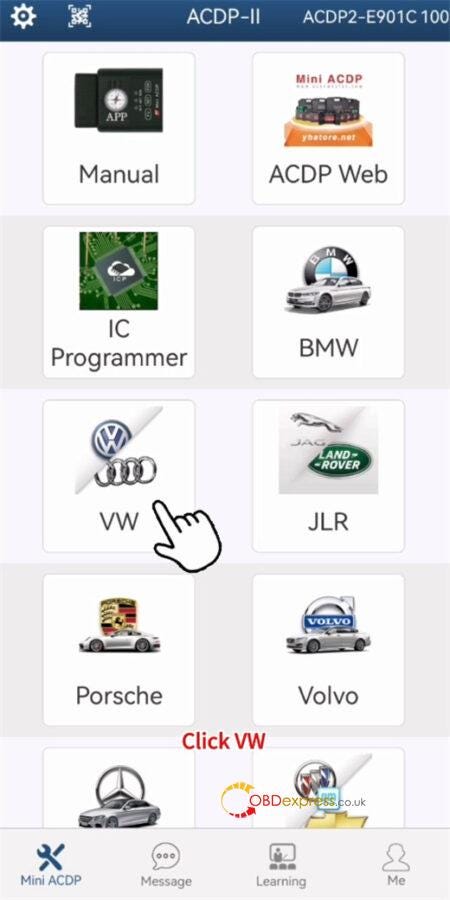
5.Click on "VW" on the main menu


Yanhua ACDP with Module 34 Change VW MQB 3426+95128 Dashboard Mileage

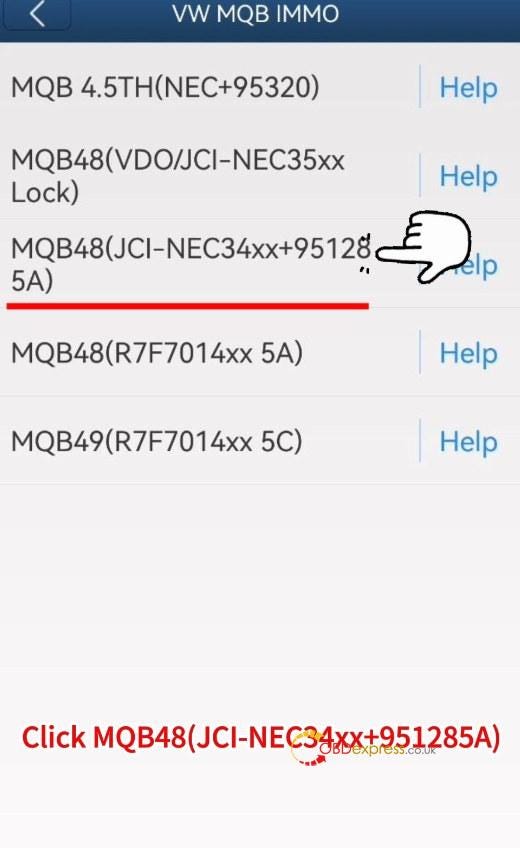
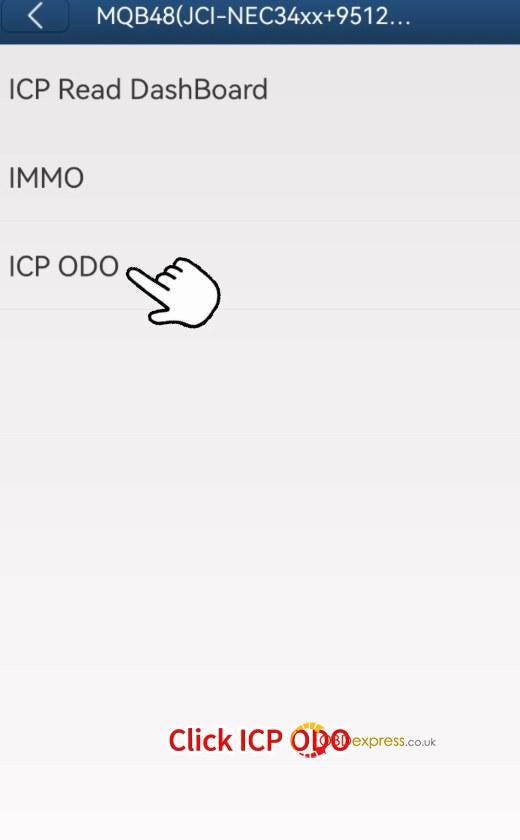
6.Select VW MQB IMMO>> MQB48 (VDO/JCI-NEC34xx +95128 5A)>> ICP ODO


Yanhua ACDP with Module 34 Change VW MQB 3426+95128 Dashboard Mileage

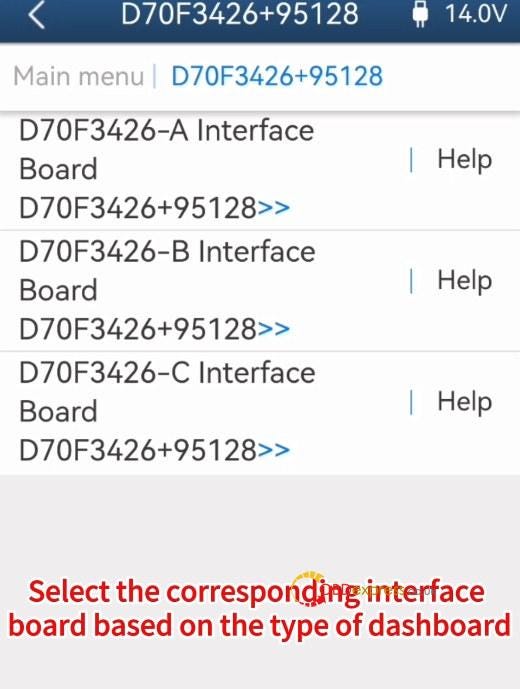
7.Select D70F3426+95128 and the corresponding interface board based on the type of dashboard

Here we select D70F3426-A Interface Board D70F3426+95128

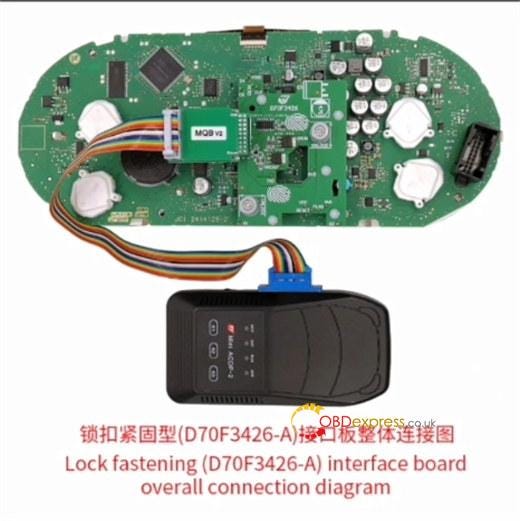
Click "Help" to check the connection diagram and connect Mini ACDP 2, MQB 3426+95128 chip dashboard and Yanhua Module 34 interface board correctly (click here to check the installation guide)


Yanhua ACDP with Module 34 Change VW MQB 3426+95128 Dashboard Mileage

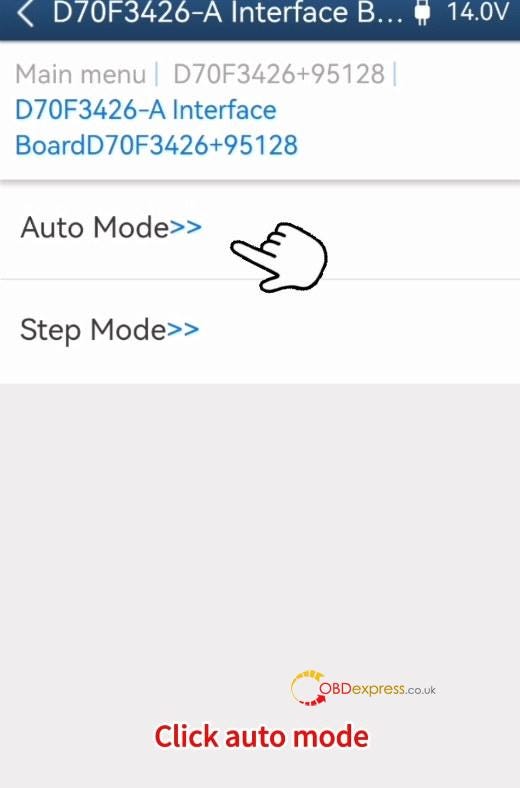
8.After connection, select "Auto Mode"


Yanhua ACDP with Module 34 Change VW MQB 3426+95128 Dashboard Mileage

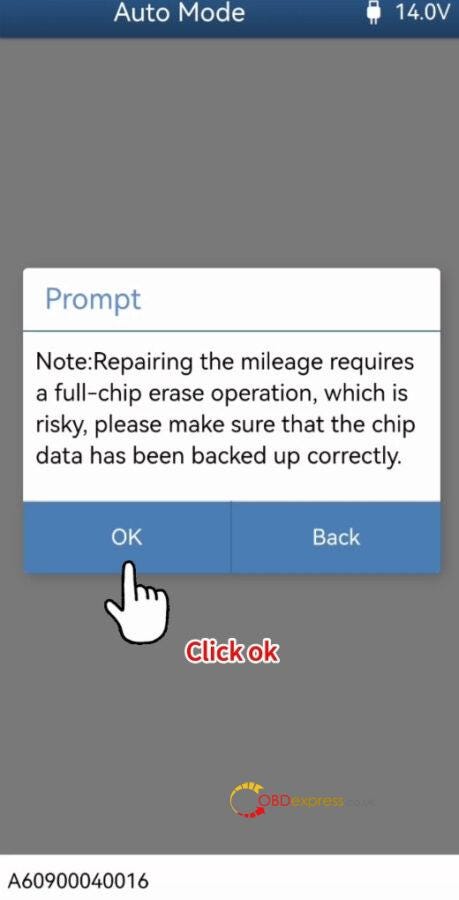
9.Confirm to repair the mileage


Yanhua ACDP with Module 34 Change VW MQB 3426+95128 Dashboard Mileage

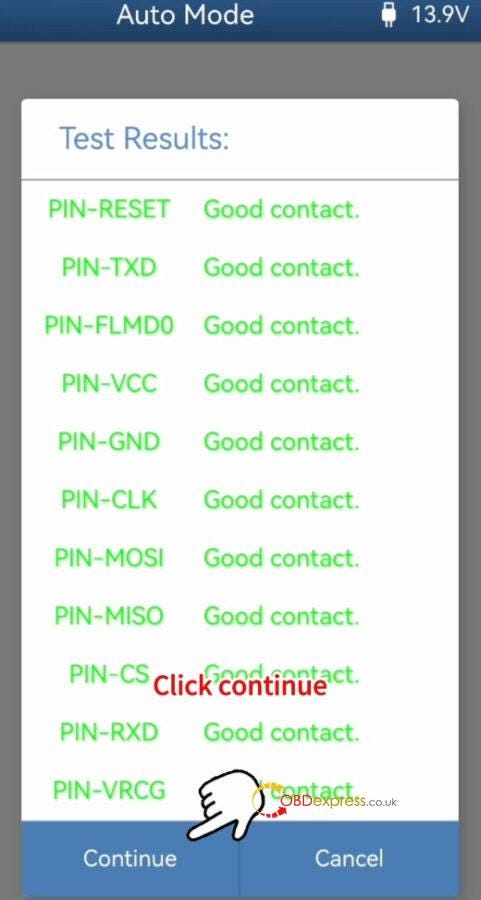
10.Detect Pins are good contact


Yanhua ACDP with Module 34 Change VW MQB 3426+95128 Dashboard Mileage

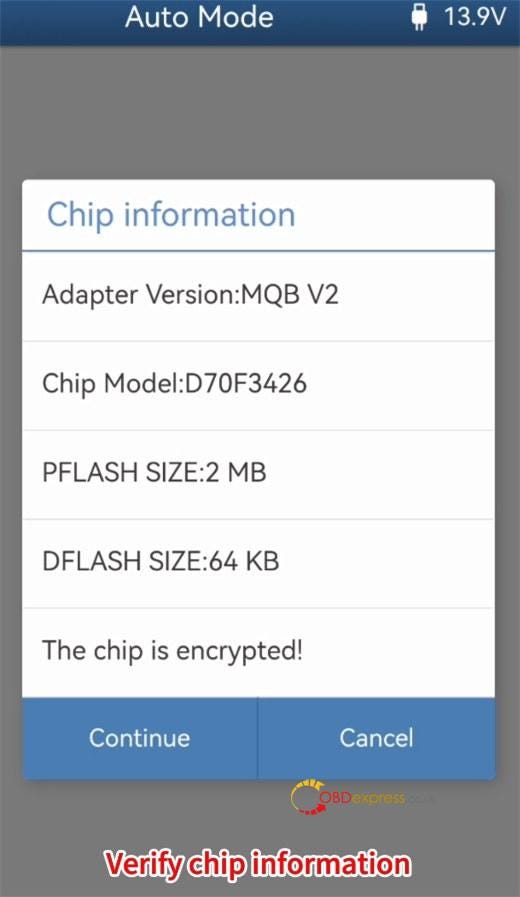
11.Verify the chip information


Yanhua ACDP with Module 34 Change VW MQB 3426+95128 Dashboard Mileage

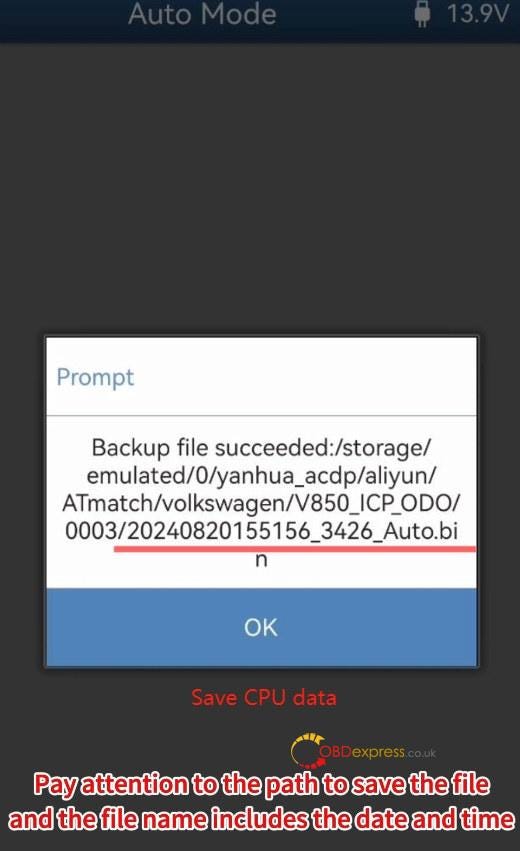
12.Read CPU data and save the data


Yanhua ACDP with Module 34 Change VW MQB 3426+95128 Dashboard Mileage

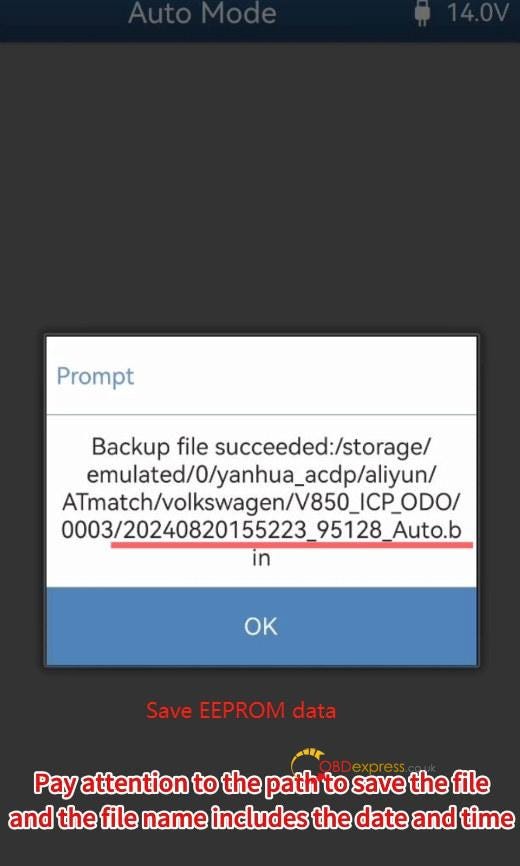
13.Read EEPROM data and save the data


Yanhua ACDP with Module 34 Change VW MQB 3426+95128 Dashboard Mileage

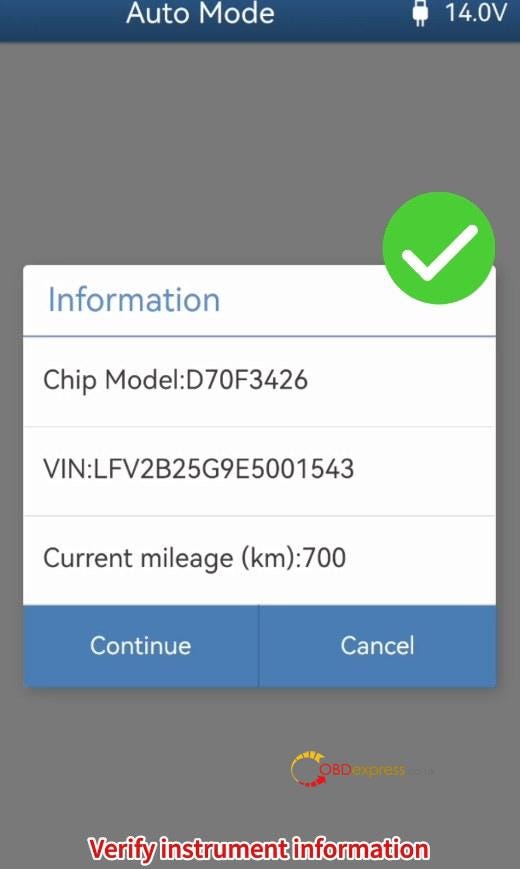
14.Verify the instrument information


Yanhua ACDP with Module 34 Change VW MQB 3426+95128 Dashboard Mileage

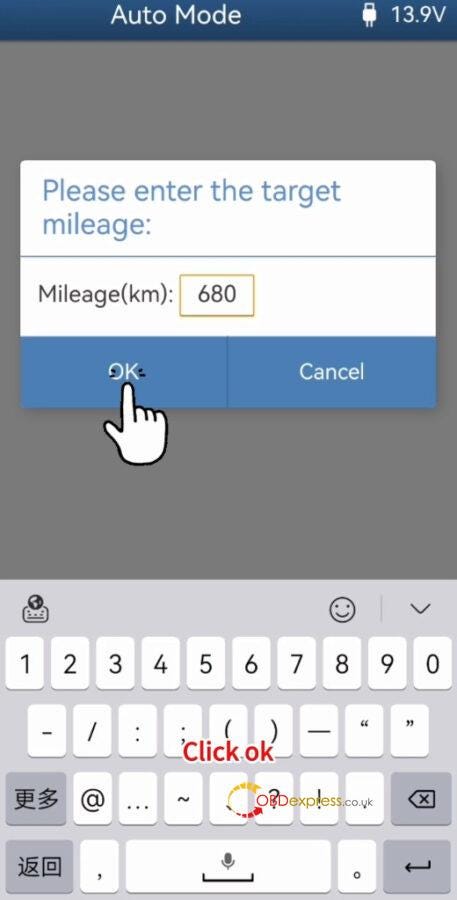
15.Input the target mileage (i.e. 680)


Yanhua ACDP with Module 34 Change VW MQB 3426+95128 Dashboard Mileage

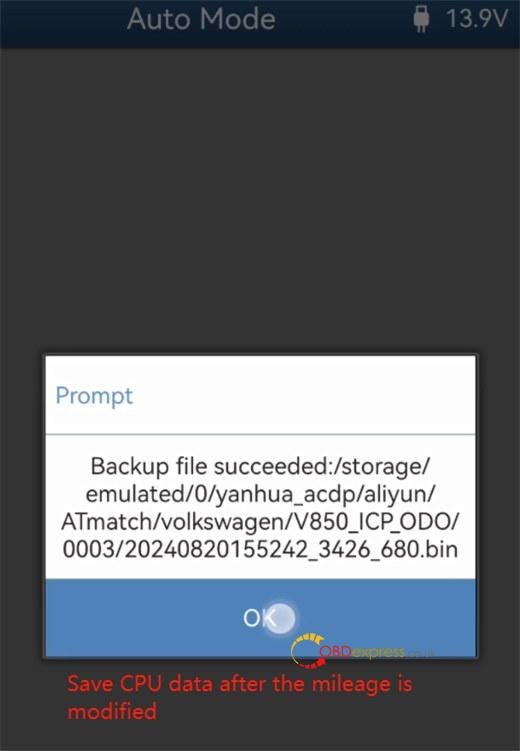
16.Save the CPU data after the mileage has been modified


Yanhua ACDP with Module 34 Change VW MQB 3426+95128 Dashboard Mileage

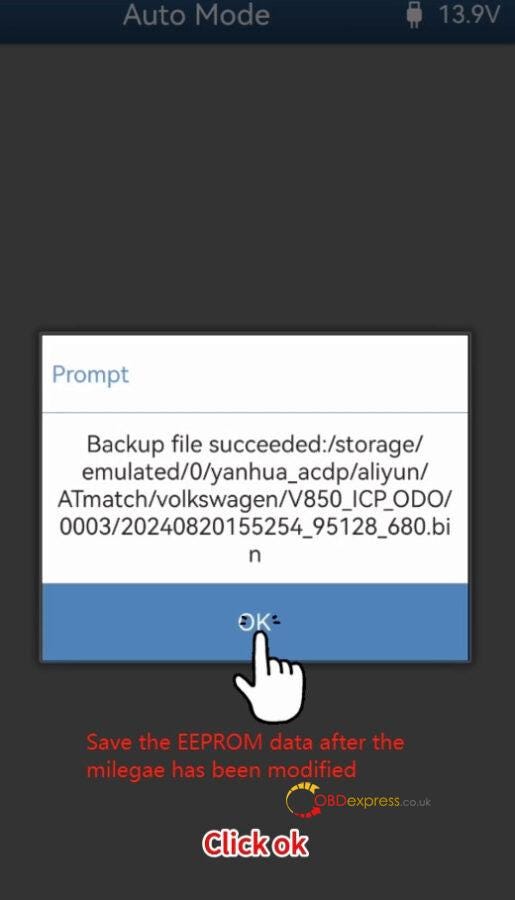
17.Save the EEPROM data after the mileage has been modified as well


Yanhua ACDP with Module 34 Change VW MQB 3426+95128 Dashboard Mileage

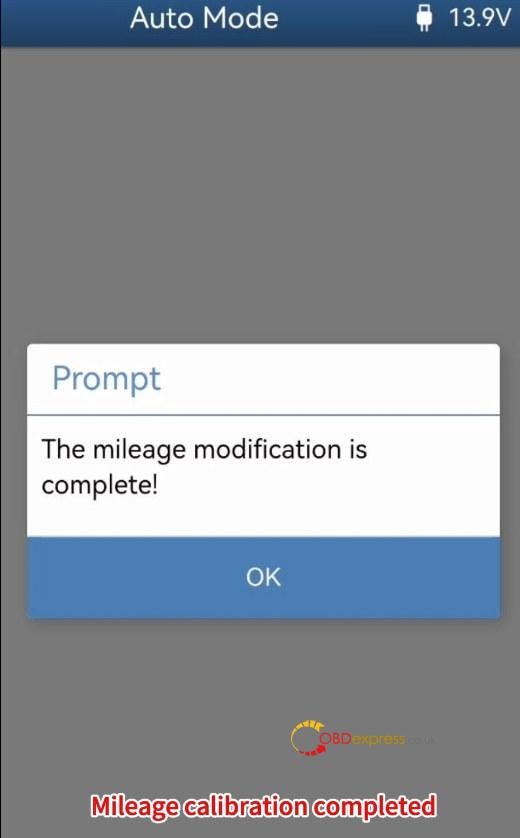
18.The mileage modification is complete


Yanhua ACDP with Module 34 Change VW MQB 3426+95128 Dashboard Mileage

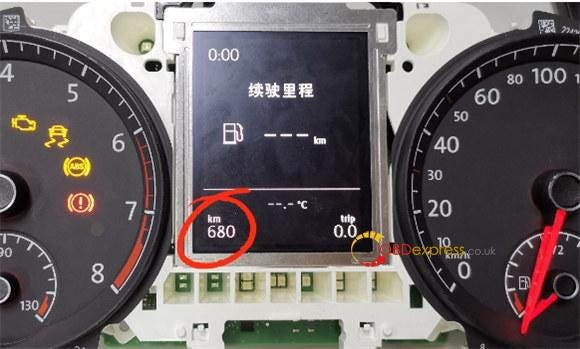
19.Install the instrument panel into the car and turn on the dashboard

Now the mileage on the dashboard is 680km, which is the same as modified.


Yanhua ACDP with Module 34 Change VW MQB 3426+95128 Dashboard Mileage

Video guide:
https://youtu.be/-JOEglIgSNs

Kindly notice:
To perform IMMO and mileage correction for the 4th generation instrument with D70F3423 +95320 chip model, D70F3426 +95128 chip model MQB 5A instrument, RH850 series R7F701401, R7F701402, R7F701407 chip model 5A instruments, and mileage correction for RH850 series R7F701401, R7F701402, R7F701404, R7F701406, R7F701407 chip model 5C instrument:
www.obdexpress.co.uk